Galvanic Isolation
The opto-decoupled version guarantees galvanic isolation of up to 500 Volts between the PC and the CAN side.
Software Included
The package is also supplied with the CAN monitor PCAN-View for Windows® and the programming interface PCAN-Basic.
Technical Specifications
| USB | Adapter for the USB connection (Full-Speed mode, compatible with USB 1.1, USB 2.0, and USB 3.0) |
| CAN | High-speed CAN connection (ISO 11898-2) |
| Bit rates | from 5 kbit/s up to 1 Mbit/s |
| Time stamp resolution | approx. 42 µs |
| CAN specifications | Compliant with 2.0A (11-bit ID) and 2.0B (29-bit ID) |
| CAN bus connection | via D-Sub, 9-pin (in accordance with CiA® 303-1) |
| CAN controller | NXP SJA1000, 16 MHz clock frequency |
| CAN transceiver | NXP PCA82C251 |
| 5-Volt supply to the CAN connection | can be connected through a solder jumper, e.g. for external bus converter |
| Galvanic isolation | on the CAN connection up to 500 V (only for IPEH-002022) |
| Power supply | Voltage supply via USB |
| Operating temperature | Extended range from -40 to 85 °C (-40 to 185 °F) |
Pin assignment D-Sub
| Pin — Pin assignment | |
|---|---|
| 1 | Not connected / optional +5V |
| 2 | CAN-L |
| 3 | GND |
| 4 | Not connected |
| 5 | Not connected |
| 6 | GND |
| 7 | CAN-H |
| 8 | Not connected |
| 9 | Not connected / optional +5V |
Models and scope of supply
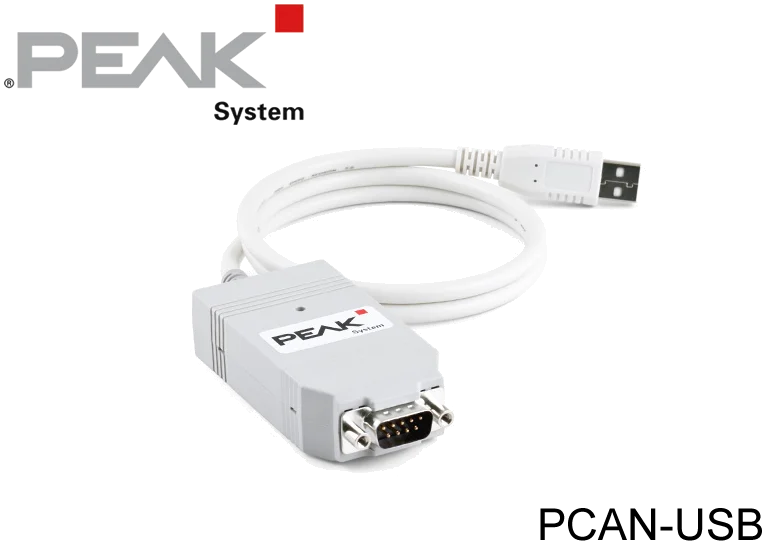
The PCAN-USB is available in two models: the PCAN-USB (IPEH-002021) without isolation and the PCAN-USB opto-decoupled (IPEH-002022) with galvanic isolation of up to 500 V on the CAN connection. Without the cable, the housings measure 75 x 43 x 22 mm and 87 x 43 x 22 mm respectively; with the cable they weigh 78 g and 83 g, the connection cable is approx. 0.75 m long, and the ingress protection is IP20. The scope of supply includes device drivers for Windows 11 (x64/ARM64), Windows 10 (x64) and Linux, the CAN monitor PCAN-View, the PCAN-Basic programming interface, programming interfaces for standardized protocols from the automotive sector and a manual in PDF format.
Commissioning and service
PCAN-View is used to see the messages of the devices on a CAN line; the step-by-step method is described in our system startup procedure in CANbus systems article. The Windows service tool developed by EHR Elektronik also connects through a PEAK PCAN interface; see CANopen I/O Node for MRS Electronic CAN I/O PLC for details.
We offer delivery from stock in Türkiye and local technical support.
DOWNLOADS
 User Manual
Which operating systems does the PCAN-USB work with?
The requirements are a computer with Windows 11 (x64/ARM64), Windows 10 (x64) or Linux and a vacant USB port (USB 1.1, USB 2.0 or USB 3.0).
What do the status LED states mean?
When the LED is on there is a connection to the driver of the operating system; slow blinking means a software application is connected to the CAN interface; quick blinking means data is transmitted via the connected CAN bus.
Can several PCAN-USB interfaces be used on one computer?
Yes, several PCAN-USB interfaces can be operated on a single computer at the same time. The supplied PCAN-View program allows the assignment of device IDs to distinguish the CAN interfaces in a software environment.