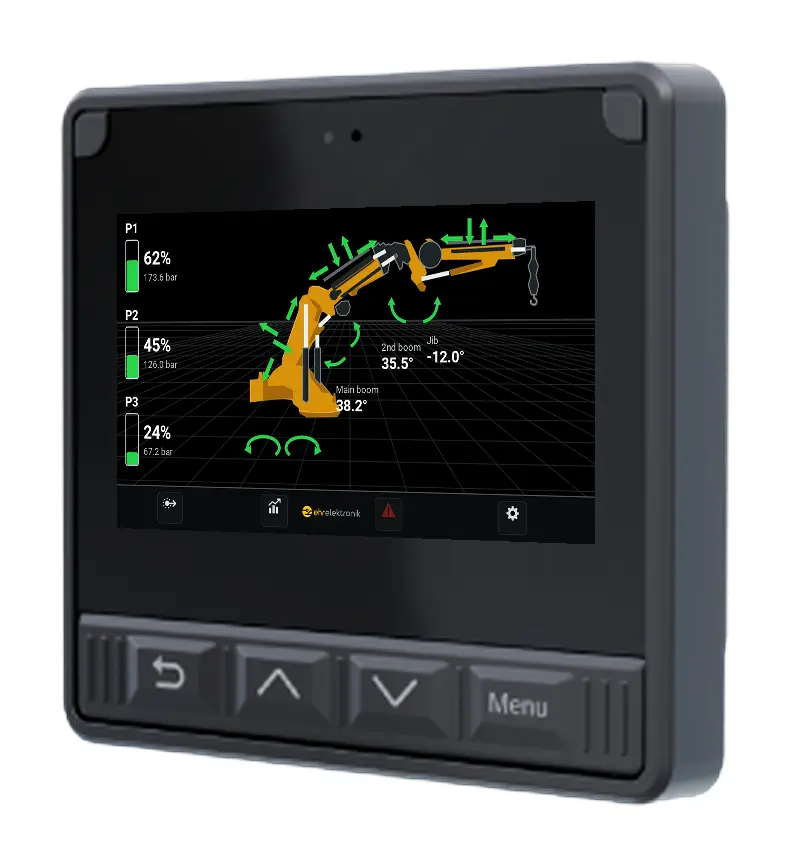
Highlights
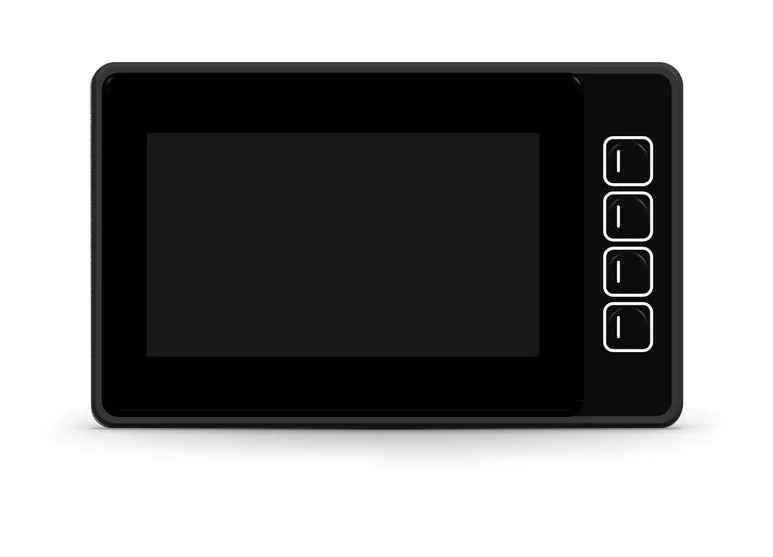
- 4.3″ TFT, 480×272, 24-bit colour
- 1000 cd/m² brightness, 1000:1 contrast
- Automatic dimming via ambient light sensor, or manual
- ARM Cortex-M4 processor, boot time under 2 seconds
- Configurable piezo buzzer, approx. 85 dB
- IP67, -30 °C … +65 °C operation
EHR Elektronik version
- Version produced specifically for us
- CAN-only hardware (H1A), no additional I/O
- 4 keys: Back, Up, Down, Menu
- Software (SV002) and image library (P042) specific to EHR Elektronik
- Supply 8-32V DC, ignition (K15) input
- 18-pin Tyco sealed connector
Technical Specifications
| EHR Elektronik version | |
|---|---|
| Hardware | H1A: CAN only, front panel with keys |
| Front panel | 4 soft keys (Back, Up, Down, Menu) |
| Software | Application software specific to EHR Elektronik (SV002) |
| Image library | Specific to EHR Elektronik (P042) |
| Display bonding | Air bonding |
| CAN | 1 channel, ISO 11898, CAN 2.0A / 2.0B |
| CAN protocol | SAE J1939 or CANopen depending on the project; EHR applications use 11-bit (standard) CAN frames |
| Supply voltage | 8-32V DC |
| Supply current | 85 mA (at 24V DC) |
| Makersan configuration | MO 661 – H1A – SV002 – P042 – E000 |
| General specifications (Makersan) | |
| Display type | TFT with LED backlight |
| Display size | 4.3″ |
| Resolution | 480×272 |
| Colour depth | 24-bit RGB (16.7M colours) |
| Brightness / contrast | 1000 cd/m² / 1000:1 |
| Backlight | Automatic dimming via ambient light sensor, or manual |
| Viewing angle | All directions |
| Processor | ARM Cortex-M4, 32-bit; external graphics processor |
| Boot time | Under 2 seconds |
| Touch screen | None |
| Real-time clock | Buffered with a supercap |
| Buzzer | Piezo, approx. 85 dB, configurable |
| Storage memory | 8 MB flash |
| Baud rate | 250 kbit/s default (500 kbit/s on request) |
| Termination resistor | External (not in the display) |
| Overvoltage protection | Up to 36V DC |
| Reverse battery protection | Provided |
| Connector | 18-pin Tyco sealed connector (mating connector TE 2203663-5) |
| Mounting | Panel mounting |
| Dimensions (W × H × D) | 126 × 111 × 44.4 mm |
| Weight | 0.3 kg |
| Operating and storage temperature | -30 °C … +65 °C |
| Ingress protection | IP67 |
Connector pinout (Tyco 18-pin, H1A)
| Pin 2 | K15 ignition input (58 kΩ to GND) |
| Pin 5 | CAN H |
| Pin 6 | CAN L |
| Pin 9 | VCC_BAT supply (must be connected through a fuse) |
| Pin 18 | GND_BAT |
| Pins 1, 3, 4, 7, 8, 10-17 | Not connected (NC) |
Installation and handling notes
- The display has no CAN termination resistor; fit one externally on the bus.
- Connect the supply (VCC_BAT) through a fuse.
- Keep the CAN cable away from high-current cables and cross them at right angles when needed.
- Do not aim a pressure washer jet directly at the display.
- Unplug the connector before any welding on the vehicle.
- A display that has suffered an impact or a fall must not be used; scrap it.
 MO 661 4.3″ CAN Display – Datasheet (PDF)
Request a quotation or technical information for this product — Contact us →